
3 Ergonomic Tips to Enhance Your Employees’ Work Habits

Updated on January 13, 2025

Get Pricing

Sit-stand desks, lockers, workstations and seating — indicative pricing for commercial fitouts in Canberra.

Pricing Catalogue

This field is for validation purposes and should be left unchanged.

What is the difference between an uncomfortable workplace and a comfortable one? Productivity levels.

An uncomfortable work environment will affect your employees’ performance levels and your business’s overall productivity. This is one of the most important reasons your office needs to be ergonomic. Good ergonomics mean good business, and bad ergonomics will only hurt you literally and figuratively.
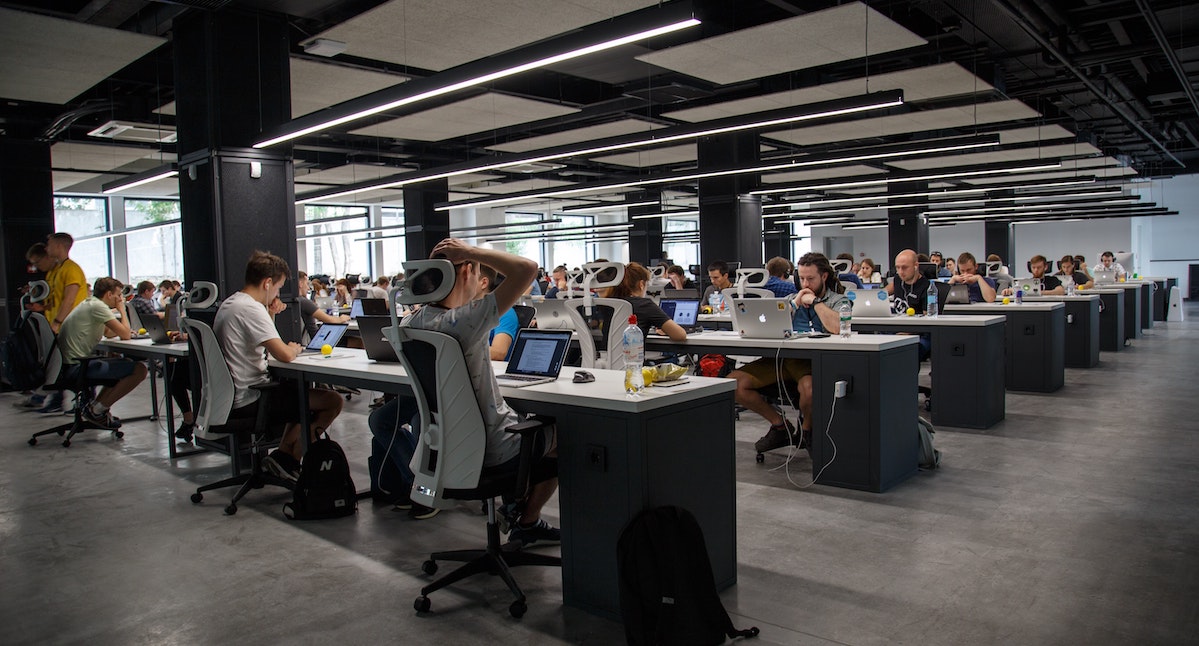
Ergonomic Office Setup

If you’d like to know how to improve your workstation ergonomics immediately, here are some tips to bear in mind:

1. Look at something else

If you work on the computer all day, you will know how it feels when your eyes get tired and fatigued. This is the direct result of staring at the screen.

To address this problem, look at something else. No, don’t look at your phone or another screen. You should look at something natural, such as a plant or tree a few feet away. If there are no plants, anything else non-screen will do, so long as it is at least 20 feet away. The best way to go about this is to look out the window. This will allow your eye muscles to relax, relieving your eyes from fatigue.

2. Maintain good posture

Whether you’re sitting or standing, you should always maintain good posture with no stressful angles, allowing the body to be relaxed. This means sitting down with hands, wrists, and arms parallel to the floor. Your head should be facing forward and in line with the torso.

If you’re standing, you must stand straight with the arms and wrists in a neutral position. Switching from sitting to standing will help keep the blood flowing, allowing you to maintain a comfortable position for more extended periods.

3. Invest in adjustable furniture

Adjustable furniture is at the forefront of ergonomics. Having the ability to adjust the furniture to fit your body ensures that you are in the most comfortable position at all times.

Such furniture includes an adjustable desk to facilitate standing and sitting, chairs adapted to fit a specific position and footrests to support the feet.

That said, there are many other ergonomic accessories you can invest in, such as neck rests, lumbar support, an ergonomic computer mouse, and more. All of this helps make the workstation more comfortable, reducing pain and fatigue and boosting productivity.

Modern Office Workers

Conclusion

Ergonomics is one of the most important factors to consider when designing your workspace. It will allow you and your employees to maintain high productivity levels, ensuring that aches and pains do not impede your business’s success. That being said, if you are having trouble setting up an ergonomic workspace, do not be afraid to reach out to the professionals. They will help you set up ergonomic policies and advise on how you can go about ensuring your workplace promotes the well-being of your employees.

Aurora Office Furniture is a family-owned furniture company in Canberra offering specialty furniture for workspaces that guarantee an ergonomic environment to boost productivity levels and more. If you require ergonomic office furniture, check out what we have to offer!
Become a Subscriber

Stay up to date and join our newsletter to receive the latest updates.

  • This field is for validation purposes and should be left unchanged.

Social Links

Featured posts

View all posts
Level 2, 14 Moore Street (2)

Sitting Desk to Standing Desk Commercial Buyer’s Guide

Read more
Vertical cable spine on sit-stand desk upright column for height-adjustable routing

Sit-Stand Desk Cable Management: 6 Things to Plan Before You Order

Read more
How to choose between melamine vs metal lockers for your office in Canberra.

Pros & Cons of Melamine vs Metal Lockers

Read more
Learn about 7 features to consider when buying ergonomic sit stand desks for your office in Canberra

7 Features of Ergonomic Sit Stand Desks

Read more
Tips on choosing the right size standing desk for your office in Australia

How to Choose the Right Size Standing Desk for Your Office

Read more
12 Tips Before Buying Staff Lockers for Your Office in Australia

12 Tips When Buying Staff Lockers for Australian Commercial Offices

Read more
Finding the best sit-stand desks for small offices in Australia

Best Sit-Stand Desks for Small Commercial Offices in Australia

Read more
Melamine lockers in a modern Canberra office break room

How To Choose The Right Type of Office Locker for Your Workplace

Read more
How to choose between electric and sit-stand desks for your office

Electric Sit-Stand Desk vs Manual — Which Should You Buy?

Read more

Get Our Pricing Catalogue

This field is for validation purposes and should be left unchanged.

    How to create a quote with us

    Explore
  • Quote Request

    How it starts


    – You submit an enquiry via our website, email, or phone
    – Tell us about your space, timeline, budget range, and what you’re trying to achieve
    – Upload plans, photos, or inspiration if you have them.

    This helps us understand your needs before recommending anything — no generic quotes, no guesswork.

    Next
  • Expert Consultation

    You speak with an office furniture specialist
    – A dedicated expert contacts you to clarify requirements
    – We ask smart questions about people, workflow, acoustics, storage, and growth
    – Advice is practical, not sales-driven

    This helps us understand your needs before recommending anything — no generic quotes, no guesswork.

    PreviousNext
  • Site Visit (If Required)

    We see the space in real life
    – On-site measurement and assessment
    – Check access, lifts, loading zones, and installation constraints
    – Identify opportunities or risks early

    Seeing the space allows us to design solutions that actually fit — physically and operationally.

    PreviousNext
  • Layouts, Options & Collaboration


    Designing the right solution
    – We collaborate with you, your team, or your designer
    – Provide layout options or 3D concepts if required
    – Adjust solutions based on feedback

    This is a collaborative phase — we refine until the solution works for your people, not just the floor plan.

    PreviousNext
  • Samples & Finishes (If Required)


    Touch, see, and approve
    – Product samples, finishes, and fabric swatches supplied
    – Confirm colours, textures, durability, and quality
    – Final selections locked in

    This step removes uncertainty and ensures what you receive matches expectations.

    PreviousNext
  • Detailed Quote Issued

    Clear, transparent pricing
    – Itemised quote with lead times and inclusions
    – Installation, delivery, and coordination clearly defined
    – No hidden surprises

    You know exactly what you’re getting, when you’re getting it, and how it will be delivered.

    PreviousNext
  • Submit your Quote Request

    Let us know what you’re thinking

    Get a Quote

    • This field is for validation purposes and should be left unchanged.
    • Drop files here or
      Accepted file types: jpg, jpeg, png, gif, pdf, doc, docx, xls, xlsx, Max. file size: 1 GB, Max. files: 5.
      Back to page
