
Office Renovation – 3 Tips on Designing Your Workspace

Updated on January 13, 2025

Get Pricing

Sit-stand desks, lockers, workstations and seating — indicative pricing for commercial fitouts in Canberra.

Pricing Catalogue

This field is for validation purposes and should be left unchanged.

A person’s environment contributes to how well they can perceive the things around them. For example, hotel establishments need to ensure that their guests can bask in a calming and relaxing atmosphere. This principle applies to office spaces as well. When you incorporate interior design in your office, you can create a comfortable space for you and your staff. Your office spaces can do more than just look good on your website photos.
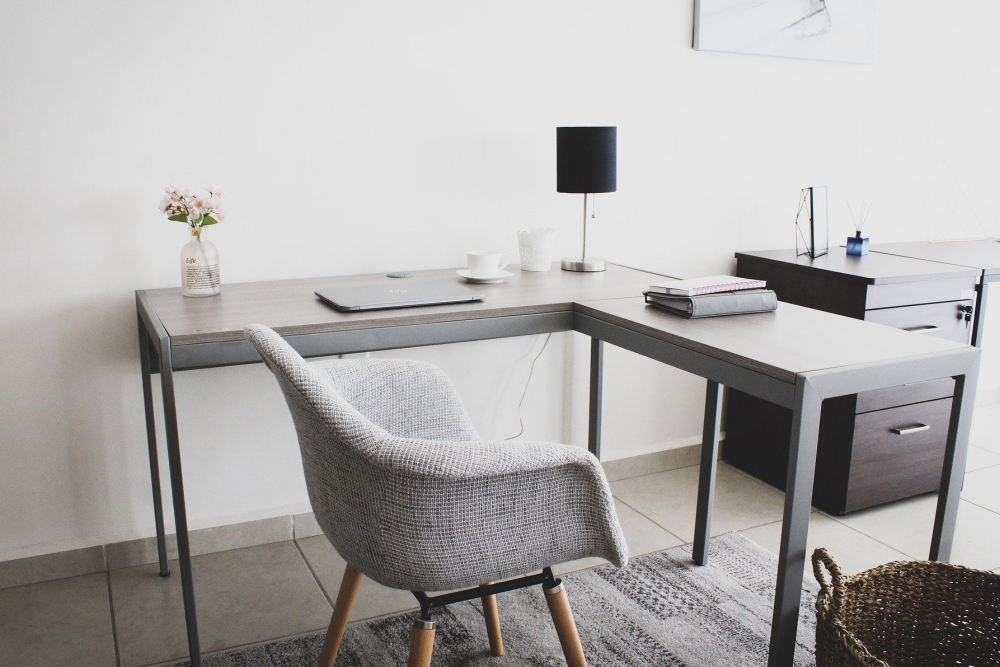
Office Renovation And Design Tips

Developing modern office spaces

Offices that integrate effective interior design create an environment that helps workers become more motivated and productive. Many contemporary office spaces are moving out of the generic and bland colour palettes and cubicles to go for more creative and engaging office settings.

If you want to spice up your office environment, here are three tips on designing your workspaces.

1. Define your furnishing options

Like choosing the central motif for your home, choosing your material options for your office will dictate the creative direction of your interior design. Start with identifying the material of your office desks and chairs. You can go for traditional hardwood or a more expensive option like metal. Alternatively, you can double down on the aesthetic design of your office with vinyl installations.

Since these two furnishing options will be the bulk of your design, it must fit well with its backdrop that you’ll decide later. Besides looking at the aesthetics of these furnishing options, you should also consider their comfort and functionality. Buying a spacious desk and comfortable swivel chairs are excellent choices to make.

2. Choose a lively colour palette

The trend of brutalist and constricting architectural designs are no longer in fashion. People you hire don’t want to feel like they’re inside a manufacturing plant. Instead of using functional blacks, whites and greys, you should opt for livelier colour palettes that can brighten your workspaces.

Consider looking at colour theories as your guide on what shades you should use for your office. As a general guideline, warm tones are more refreshing, while cool tones are more relaxing. The safe option is to take a hint from your brand book to define your office’s look. However, you could go for complementary or contrasting colours, depending on how well it will fit your office spaces.

3. Bring natural elements in your indoor spaces

Natural shapes can be an excellent way to bring a much-needed break from the solid lines and structure of an office environment. This is why many offices nowadays incorporate indoor plants and other organic elements to make their workspaces more relaxing. If you have limited spaces to spare, you can choose to go small with succulents and hanging greenery to add texture to your office’s design.

You can place your greenery in your lounge area if you want to separate your workspaces. It’s common for employees to take a walk of fresh air away from the office to shake off their work mindset. By designating a specific resting area with organic installations, your staff won’t have to leave the office to feel at peace.

Conclusion

Having a well-designed office is a sign of innovation and great leadership. Just because you need your staff to focus on their work doesn’t mean you shouldn’t invest in a welcoming environment. Sometimes, the two will work hand-in-hand to create the right working conditions for your employees to do their best. By making the right design and furnishing choices, your office renovation will make a significant impact on your company’s overall productivity.

If you’re looking for office furniture in Canberra, we can supply you with what you need. We house a wide selection of office essentials, from filing cabinets and CBU holders to ergonomic office chairs and more. Browse through our online catalogue of office equipment today for the best options for your furnishing needs!
Become a Subscriber

Stay up to date and join our newsletter to receive the latest updates.

  • This field is for validation purposes and should be left unchanged.

Social Links

Featured posts

View all posts
Level 2, 14 Moore Street (2)

Sitting Desk to Standing Desk Commercial Buyer’s Guide

Read more
Vertical cable spine on sit-stand desk upright column for height-adjustable routing

Sit-Stand Desk Cable Management: 6 Things to Plan Before You Order

Read more
How to choose between melamine vs metal lockers for your office in Canberra.

Pros & Cons of Melamine vs Metal Lockers

Read more
Learn about 7 features to consider when buying ergonomic sit stand desks for your office in Canberra

7 Features of Ergonomic Sit Stand Desks

Read more
Tips on choosing the right size standing desk for your office in Australia

How to Choose the Right Size Standing Desk for Your Office

Read more
12 Tips Before Buying Staff Lockers for Your Office in Australia

12 Tips When Buying Staff Lockers for Australian Commercial Offices

Read more
Finding the best sit-stand desks for small offices in Australia

Best Sit-Stand Desks for Small Commercial Offices in Australia

Read more
Melamine lockers in a modern Canberra office break room

How To Choose The Right Type of Office Locker for Your Workplace

Read more
How to choose between electric and sit-stand desks for your office

Electric Sit-Stand Desk vs Manual — Which Should You Buy?

Read more

Get Our Pricing Catalogue

This field is for validation purposes and should be left unchanged.

    How to create a quote with us

    Explore
  • Quote Request

    How it starts


    – You submit an enquiry via our website, email, or phone
    – Tell us about your space, timeline, budget range, and what you’re trying to achieve
    – Upload plans, photos, or inspiration if you have them.

    This helps us understand your needs before recommending anything — no generic quotes, no guesswork.

    Next
  • Expert Consultation

    You speak with an office furniture specialist
    – A dedicated expert contacts you to clarify requirements
    – We ask smart questions about people, workflow, acoustics, storage, and growth
    – Advice is practical, not sales-driven

    This helps us understand your needs before recommending anything — no generic quotes, no guesswork.

    PreviousNext
  • Site Visit (If Required)

    We see the space in real life
    – On-site measurement and assessment
    – Check access, lifts, loading zones, and installation constraints
    – Identify opportunities or risks early

    Seeing the space allows us to design solutions that actually fit — physically and operationally.

    PreviousNext
  • Layouts, Options & Collaboration


    Designing the right solution
    – We collaborate with you, your team, or your designer
    – Provide layout options or 3D concepts if required
    – Adjust solutions based on feedback

    This is a collaborative phase — we refine until the solution works for your people, not just the floor plan.

    PreviousNext
  • Samples & Finishes (If Required)


    Touch, see, and approve
    – Product samples, finishes, and fabric swatches supplied
    – Confirm colours, textures, durability, and quality
    – Final selections locked in

    This step removes uncertainty and ensures what you receive matches expectations.

    PreviousNext
  • Detailed Quote Issued

    Clear, transparent pricing
    – Itemised quote with lead times and inclusions
    – Installation, delivery, and coordination clearly defined
    – No hidden surprises

    You know exactly what you’re getting, when you’re getting it, and how it will be delivered.

    PreviousNext
  • Submit your Quote Request

    Let us know what you’re thinking

    Get a Quote

    • This field is for validation purposes and should be left unchanged.
    • Drop files here or
      Accepted file types: jpg, jpeg, png, gif, pdf, doc, docx, xls, xlsx, Max. file size: 1 GB, Max. files: 5.
      Back to page
