
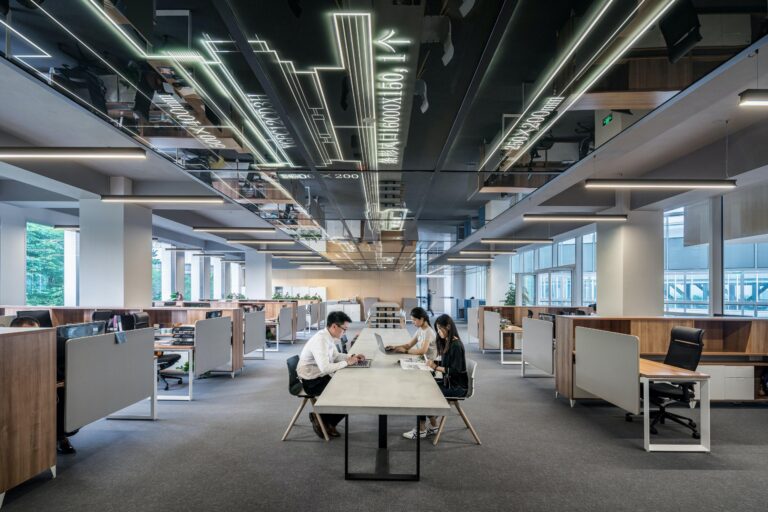
7 Features of Ergonomic Sit Stand Desks

Get Pricing
Sit-stand desks, lockers, workstations and seating — indicative pricing for commercial fitouts in Canberra.
Pricing Catalogue
After 20 years of commercial fitouts, Aurora’s team knows what separates genuine ergonomic performance from marketing claims.
Quick Answer
What makes a sit stand desk ergonomic?
Not all height-adjustable desks genuinely improve staff health & posture. 7 factors determine whether you’re choosing truly ergonomic sit stand desks.
- Adequate desk depth (minimum 700mm) for correct monitor placement
- Height adjustment range that fits your full team
- Stable, quiet motor with commercial-grade load capacity
- Anti-collision technology as a baseline safety feature
- Integrated cable and power management
- A quality ergonomic chair paired with the desk
- Desktops specified for commercial durability and your fit-out
Sit stand desks have become a standard recommendation for improving office ergonomics. But there’s a significant gap between a truly ergonomic sit stand desk and one that simply raises and lowers. Buyers are frequently told that any height-adjustable desk is ergonomic. In practice, several specific factors determine whether a sit stand desk delivers real benefit or leaves staff with the same discomfort they started with.
After more than 30 years of delivering commercial fitouts across government, education and corporate environments, Aurora’s team has seen what separates desks that genuinely improve working conditions from those that underdeliver. Here are the 7 features that actually matter.
7 factors that determine ergonomic performance
1. Adequate Desk Depth
Ergonomic positioning requires more than height adjustment. Desk depth plays a critical role in monitor placement — insufficient depth forces the screen too close to the user, causing eye strain and encouraging forward head posture.
For most commercial workstations, a minimum depth of 700mm is recommended. Deeper options (750–800mm) allow monitor arms to be used properly, keeping screens at the correct focal distance regardless of sit or stand position.
“One of the most common ergonomic mistakes buyers make is focusing solely on the sit stand desk itself while overlooking the overall workstation setup. Insufficient desk depth can place monitors too close to the user, leading to discomfort and poor posture over time. Desk depth, adjustability, and seating work together to deliver the best ergonomic outcomes.”
Dean — Managing Director, Aurora Office Furniture
2. Height Adjustment Range That Fits Your Team
The adjustment range of a sit stand desk must accommodate the actual height range of your staff — not just an average. A desk that can’t reach low enough for a shorter user, or high enough for a taller one, defeats the purpose.
Look for desks with a lower limit around 620–650mm and an upper limit of at least 1,200mm. For teams with a wide height range, confirm the full adjustment span before specifying.
Critically, the benefit isn’t maximum height — it’s the ability to move regularly throughout the day. Alternating between sitting and standing is what reduces the strain of sustained static posture.
“When it comes to ergonomic benefits, the most important factor isn’t the desk’s maximum height range — it’s the ability to move regularly throughout the day. Alternating between sitting and standing helps reduce the strain associated with remaining in one position for extended periods. The real value comes from encouraging movement and variation in working positions.”
Dean — Managing Director, Aurora Office Furniture
3. Motor Quality and Stability at Height
A desk that wobbles at standing height, or that moves slowly and noisily, quickly becomes one that staff stop using. Motor quality directly affects both the safety and the long-term adoption of sit stand furniture.
Dual-motor systems generally provide better stability and load capacity than single-motor alternatives — a relevant consideration when monitors, docking stations and accessories are all mounted to the surface. Noise level also matters in open-plan environments where repeated adjustments can become a distraction.
For commercial environments, look for desks with lifting capacities of at least 80–100kg to accommodate full monitor setups, and a noise rating below 50dB for open offices.
Single motor vs dual motor — commercial comparison
| Feature | Single Motor | Dual Motor |
|---|---|---|
| Load capacity | Typically 50–70kg | 80–120kg+ |
| Stability at height | Moderate — some lateral flex | Higher stability, less wobble |
| Noise level | Variable — often louder | Generally quieter |
| Suitable for multi-monitor setups | Check weight limits carefully | Yes — preferred for commercial use |
| Commercial fitout recommendation | Light-use environments only | Recommended for office environments |
4. Anti-Collision Technology
In a busy commercial environment, obstacles beneath or above the desk are a constant variable — monitor arms touching walls, items left on adjacent surfaces, or partitions at standing height. Anti-collision technology automatically stops the desk when resistance is detected, preventing damage to equipment and the desk itself. This is not a premium feature. In a commercial fitout, it is a baseline safety requirement.
“Anti-collision technology is a critical safety feature in any commercial sit-stand environment. It helps prevent damage and injury by automatically stopping the desk if it detects an obstruction while moving up or down. In busy office environments where workstations are frequently adjusted, it’s a feature we consider essential rather than optional.”
Dean — Managing Director, Aurora Office Furniture
5. Integrated Cable and Power Management
A sit stand desk that raises and lowers without a plan for cables quickly creates a tangled, unsafe, and visually messy workstation. Cable management systems — including spine-mounted trays, under-desk raceways, and integrated power modules — are what allow a sit stand desk to function cleanly at both positions.
Buyers often treat cable management as an afterthought. In practice, it should be specified at the same time as the desk, because retrofitting cable solutions to an installed workstation is difficult and expensive.
The best commercial sit-stand systems allow power modules and data ports to be mounted directly to the desk frame, with cables routed internally and concealed at all desk heights.

6. The Right Chair to Pair It With
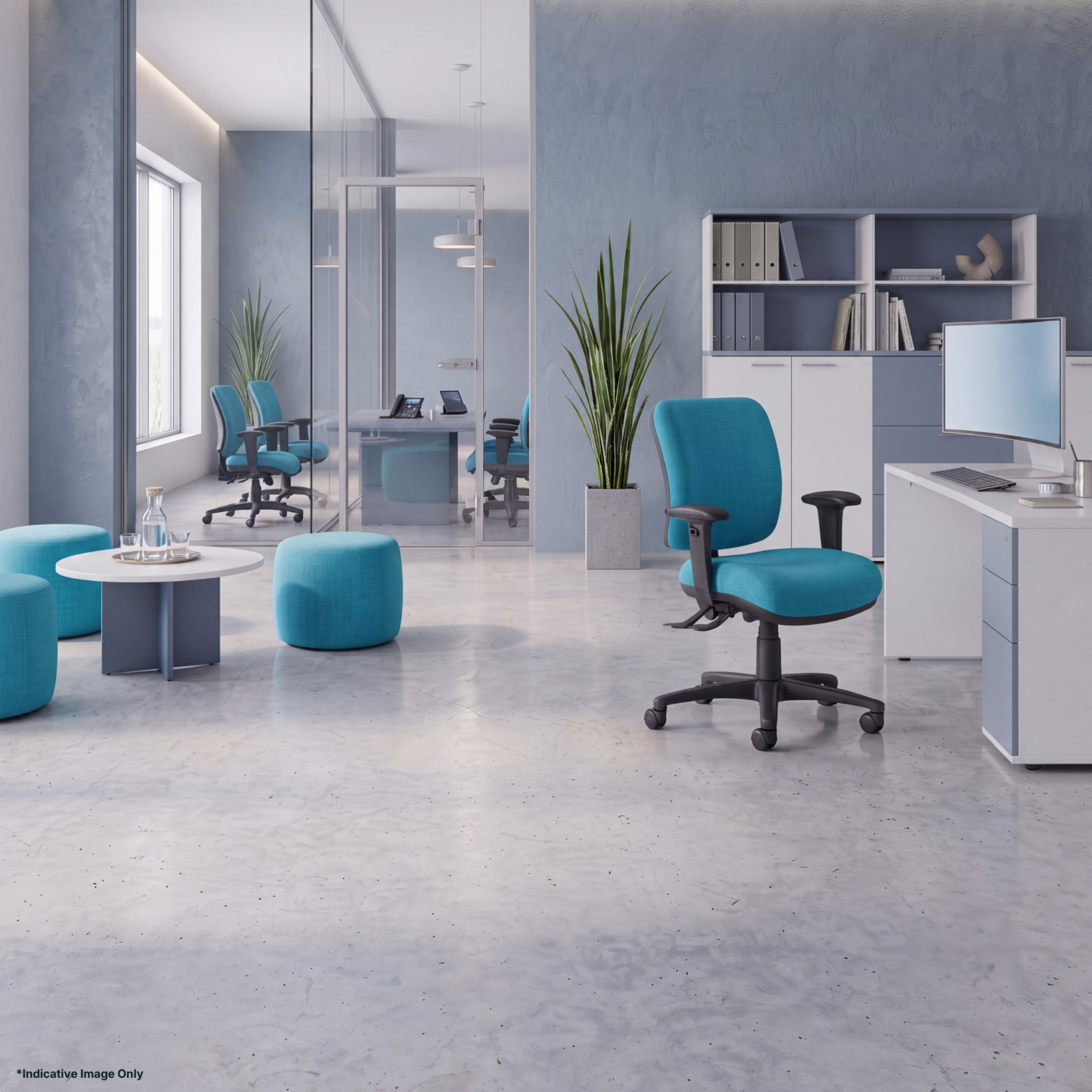
This is the most consistently overlooked factor when selecting an ergonomic sit stand desk. A height-adjustable standing desk does not compensate for a chair that lacks proper lumbar support, adjustability, or fit.
Businesses who invest in sit stand desks and continue using inadequate chairs will find their staff still experience back pain — and will often blame the desk. Ergonomics requires both elements to work together.
“One of the most common issues we see is an outdated or poor-quality chair that lacks proper lumbar support, adjustability, or adequate cushioning. A sit-stand desk can encourage movement and improve posture, but it cannot compensate for a chair that doesn’t properly support the user. The best ergonomic outcomes come from pairing a quality sit-stand desk with a well-fitted ergonomic chair. After more than 20 years in workplace ergonomics, we’ve found that these two elements work hand in hand to achieve lasting results.”
Dean — Managing Director, Aurora Office Furniture
Desk and chair selection can be done independently — they do not need to be the same brand. What matters is that both are correctly adjusted to the individual user, not selected as a matching set.
Recommended Products



7. Desktops Specified for the Environment
Desk depth and surface dimensions matter — but so does finish. Laminate quality, edge profiles, and colour options affect both the durability of the surface over time and how well the workstation integrates with the broader fitout.
For commercial environments, look for desktops with commercial-grade laminates (ABS edge banding, minimum 25mm thickness) and colour options that align with your interior specification. Customisation of desktop size — particularly width — is often available for open-plan runs where standard dimensions don’t fit the floor plan.
For government and education buyers in particular, the ability to match existing furniture or comply with a specified finish palette is a practical procurement consideration, not a cosmetic preference.
What This Means in Practice
Buyers who focus only on price per unit — or who compare sit-stand desks by their maximum height or motor speed — frequently end up with furniture that underdelivers on ergonomics.
The difference between a genuinely ergonomic sit-stand workstation and one that simply adjusts comes down to these seven factors working together: depth, adjustment range, motor quality, anti-collision protection, cable management, seating, and desktop specification.
None of these factors requires a premium budget in isolation. But all seven need to be considered at the specification stage — because fixing them after installation is significantly more costly than getting the brief right from the start.
How We Approach Ergonomic Sit Stand Desks
Aurora Office Furniture’s commercial fitout process includes a detailed needs analysis before any product is specified. This covers desk depth requirements, the height range of your team, the technology setup at each workstation, and the seating that will be paired with the desk.
We do not simply recommend a product from a catalogue. We map the ergonomic requirements of your environment and specify accordingly — which is why commercial buyers, government departments and interior designers have trusted Aurora’s advice for more than 30 years.
If you are in the process of specifying ergonomic sit stand desks for a new fitout or refurbishment, contact our sales team for a detailed needs analysis and quote.
Aurora Office Furniture — Canberra
Specifying sit-stand desks for your team?
Our sales team provides a detailed needs analysis before any product is specified — covering workstation depth, height range, technology setup, and seating. Get the brief right from the start.
Featured posts
View all posts



Get Our Pricing Catalogue
