

Electric Sit-Stand Desk vs Manual — Which Should You Buy?

Get Pricing
Sit-stand desks, lockers, workstations and seating — indicative pricing for commercial fitouts in Canberra.
Pricing Catalogue
Aurora’s team has fitted sit-stand desks across 4,000+ commercial projects. Here’s what actually matters when you’re choosing.
Quick answer
For most commercial offices, electric sit-stand desks are the better choice. They’re easier to adjust, which means staff actually use them — and the ergonomic benefit you’re paying for is realised in practice, not just on paper. Manual desks are mechanically simpler but rarely adjusted in real office environments, often ending up as fixed desks.
The more important decision is commercial-grade vs residential-grade — not single motor vs dual. A quality commercial single motor electric desk handles most standard office applications well. Dual motor is worth the step-up for larger desktops, heavy monitor setups, or high-frequency use. Avoid residential-grade desks in commercial environments regardless of motor count.
Jump Ahead
If you’ve been quoted on an electric sit-stand desk and you’re wondering whether the premium is justified, you’re asking exactly the right question. So is the buyer who’s eyeing the manual version and wants reassurance they’re not making a compromise they’ll regret six months in.
The honest answer isn’t a simple one — because the decision most buyers think they’re making (electric vs manual desk) isn’t actually the decision that matters most. The real fork in the road is commercial-grade versus residential-grade, and getting that wrong will cause you more grief than the motor question ever could. More on that shortly.
First, let’s deal with the comparison most people show up with.
What’s the actual difference between electric and manual sit-stand desks?
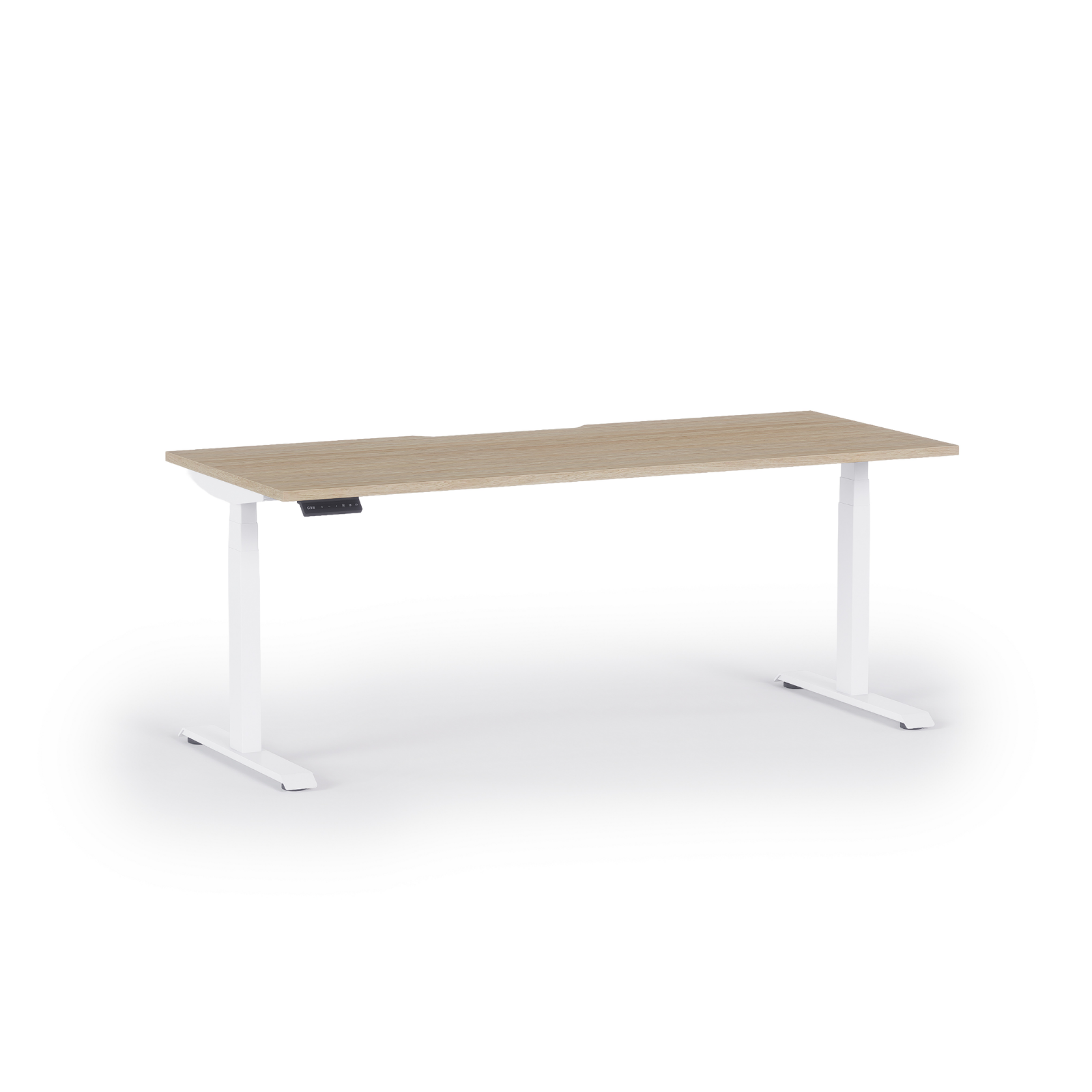
An electric sit-stand desk uses one or two motors built into the frame to raise and lower the desktop at the push of a button. Most commercial models adjust across a height range of roughly 620mm to 1,275mm, move at around 35–40mm per second, and include programmable memory settings so each person can save their preferred heights. Upgraded models add anti-collision detection, soft-start and soft-stop, and quiet operation under 50dB.
A manual sit-stand desk achieves the same height range through either a hand crank or a gas-spring (pneumatic) mechanism. No power needed, fewer components, nothing to plug in. The adjustment works in the same way — it’s just slower and requires more physical effort each time.

On paper, both get your staff off their chairs and onto their feet. In practice, the experience is meaningfully different, and that gap has a direct effect on whether you actually get the ergonomic benefit you’re buying.
What are some common usability issues with manual desks?
The main thing Aurora’s installation team sees play out in commercial environments isn’t a mechanical failure. It’s a behavioural one.
From the sales & installations team
“Manual desks are usually chosen for reliability rather than price — there are no motors or electronics, so there’s less concern about electrical faults or performance over time. But the catch is usability. Because they take more effort to raise and lower, they’re rarely adjusted day to day. In a lot of cases they end up being used as fixed desks.”
— Dean, Aurora Office Furniture
A sit-stand desk only pays for itself if people use the “stand” part regularly throughout the day. Research consistently points to alternating between sitting and standing in roughly 30–60 minute intervals as the sweet spot for reducing sedentary-related fatigue and back strain. An electric desk makes that effortless — you press a button, the desk moves in seconds, you’re standing. A manual desk requires you to stop what you’re doing, apply physical effort, and wait. The cognitive friction is small but real, and across a busy workday it quietly erodes the habit.

The result? In many offices, manual sit-stand desks settle into a single fixed position within weeks of installation and stay there. You’ve paid for adjustability you’re not using.
This doesn’t mean manual desks are a bad product. It means they’re often bought with the best of intentions and then used in a way that eliminates their main advantage.
Is price still a reason to choose manual desks over electric?
Less than it used to be. The price gap between a quality manual and a quality electric sit-stand desk has narrowed significantly as electric models have scaled in volume. If you’re sourcing commercial-grade product from a proper supplier rather than a consumer electronics retailer, you’ll find the step-up to electric is much smaller than buyers expect — and often the smarter long-term investment when you account for actual usage.
Where manual does make sense is when simplicity and zero electrical dependency are a genuine priority — certain industrial environments, spaces without nearby power access, or situations where minimising electronics is a non-negotiable requirement. In those cases, a quality pneumatic manual desk is a legitimate and reliable choice.
From our sales & installations team
“There are scenarios where we’d recommend a manual desk — particularly where simplicity and minimal moving parts are the priority. But in most cases we’d recommend electric, because users spend long hours at their desk and the ability to quickly raise and lower it encourages regular movement. Electric desks make that effortless. Manual desks are often left in one position.”
— Dean, Aurora Office Furniture
For standard commercial offices, though? Electric is almost always the better call.
Single motor vs dual motor electric desks — when does it actually matter?
Once you’ve landed on electric desks, the next question buyers hit is single motor versus dual. It comes up constantly, and it generates more confusion than it should.
From our sales & installations team
“Dual motor desks are the more robust option for heavier applications — large desktops, multiple monitors, monitor arms, or high-frequency adjustments throughout the day. For most standard office setups, a quality single motor desk performs well. The right choice depends on the desk size, load and how often it’ll actually be moved.”
— Dean, Aurora Office Furniture
To translate that into practical guidance:
Single motor electric desks are the right call for most standard office applications — a typical desktop size (1,200mm–1,600mm wide), a monitor or two, keyboard and standard peripherals. Quality commercial single motor units handle these loads without issue and will perform reliably across years of daily use.
Dual motor electric desks make sense when the load gets heavier or more complex — wider or heavier desktops (1,800mm+), multiple large monitors, heavy monitor arms, or environments where desks are shared and adjusted many times per day. The additional motor provides better lift balance across a wider frame and improves stability at full height, which matters when you’re carrying significant weight at extended positions.
The stability point is worth noting separately. One common complaint about standing desks — particularly at full height — is wobble, especially with heavier setups. Dual motor frames tend to be more stable under load because the lift is distributed across both legs evenly. If you’re speccing a desk that’ll carry heavy monitors or see high-frequency adjustments, that stability difference is real.
What’s the most common buying mistake customers make?
Here’s where we have to be honest, because it’s the issue our team sees come back to bite buyers more than any motor configuration decision.
What clients tell us after the fact
“We’ve had clients come back after buying very low-cost electric desks online — usually entry-level single motor models designed more for home office use. The problem isn’t single motor versus dual motor. It’s residential-grade products being used in commercial applications. Those desks aren’t built for continuous daily use and heavier workloads, and it shows.”
— Aurora Office Furniture Sales Team
This is the conversation we have most often with buyers who’ve come back after a bad experience — and the pattern is consistent. A desk designed for a home office, adjusted occasionally by one person doing focused work, is built to a completely different specification than a commercial desk that may be adjusted dozens of times a day in a busy government department or corporate fitout.
The frame, the motor quality, the column tolerances, the anti-collision systems, the warranty coverage — all of it differs between residential and commercial grades. When a residential desk is asked to perform at commercial intensity, the wear is accelerated and the lifespan drops. What looked like a saving at purchase becomes a replacement cost earlier than expected, plus the disruption of a mid-fitout swap.
The practical upshot: grade matters more than motor count. A commercial-grade single motor desk will outperform and outlast a cheap dual motor desk almost every time. Before you compare single to dual, make sure you’re comparing commercial to commercial.
What to check before you buy
Whether you’re sourcing a handful of desks for an office refresh or speccing up a full commercial fitout, these are the questions that actually determine whether you’re buying the right product:
- What’s the load? Add up your desktop weight, monitors, arms, and peripherals. Most commercial single motor desks are rated to 80–100kg. If you’re pushing that, look at dual motor options rated higher.
- What’s the adjustment frequency? Occasional use is different from a desk that gets moved six or eight times a day in a shared or hot-desk environment. Higher frequency warrants a more robust frame and motor specification.
- Is this a commercial environment? If the desk is going into an office, government department, school or fitout rather than a home study, the commercial grade designation matters. Don’t let price alone be the filter.
- What are the warranty terms? A quality commercial sit-stand desk should carry a meaningful warranty — five to ten years on the frame is standard for reputable product. Shorter terms on electric components are a signal.
- Is cable management planned? One of the most common post-installation regrets on any sit-stand fitout is cable management that wasn’t thought through at spec stage. The desk moves up and down — cables need to move with it, neatly. Plan it before purchase, not after.
Frequently Asked Questions
Yes, for most applications. The ease of adjustment directly determines whether staff actually alternate between sitting and standing — which is the whole point. Electric desks are used as intended far more consistently than manual alternatives in office environments. The price premium over quality manual has also narrowed considerably.
For most standard office desks, a quality single motor is sufficient. Dual motor is worth the upgrade when the desktop is wide (1,800mm+), the load is heavy (multiple monitors, heavy arms), or adjustments happen frequently throughout the day. Stability at full height is also better under load with dual motor frames.
In commercial-grade models, motors are typically rated for 20,000–50,000 cycles. At five adjustments per day, five days a week, that’s decades of use. The practical limiting factor is more often the quality of the frame and columns than the motor itself. Cheaper residential motors carry lower cycle ratings and aren’t built for commercial intensity.
All height-adjustable desks have some movement at maximum extension — it’s a function of physics. Quality commercial frames minimise this significantly. Dual motor frames with wider bases and tighter column tolerances perform best under load. If stability is a concern, check the rated load and compare frames before buying.
Most commercial electric sit-stand desks adjust from around 620mm to 1,275mm, which covers most users sitting and standing comfortably. If you’re outfitting a team with significant height variation — or a shared desk environment — confirm the range covers your tallest and shortest users before speccing.
Yes, and you should plan it before installation rather than retrofitting it. Most commercial sit-stand desks are compatible with under-desk cable trays, integrated power modules, and cable management spines. Getting this right from the start makes a significant difference to how the desk looks and functions in daily use.
Commercial-grade sit-stand desks are built for continuous daily use, higher load ratings, tighter tolerances and more demanding cycle counts than residential models. The price reflects genuine differences in materials, motors and construction — not just a brand premium. Using a residential desk in a commercial environment typically shortens its lifespan noticeably.
Recommended Products



Ready to spec your sit-stand desks?
Get the right desk matched to your load, usage and environment — not a one-size-fits-all recommendation.
Aurora’s team has fitted sit-stand desks across 4,000+ commercial projects including government departments, corporate offices and school fitouts across Canberra, Sydney and Melbourne. Tell us about your project and we’ll give you a straight answer on what’s right for the job.
Featured posts
View all postsAre Standing Desks Actually Worth It?
Read more


Get Our Pricing Catalogue
